 Free · macOS 14+ · English & Simplified Chinese
FrameKit
Resize windows, capture screenshots, and export at the size you need. Create images for apps, Chrome extensions, websites, and documentation, all on your Mac.
How It Works
From an open window to a finished screenshot in three steps.
Choose a Window
Open the app, extension page, or website you want to show. Select its app or browser window in FrameKit.
Resize and Capture
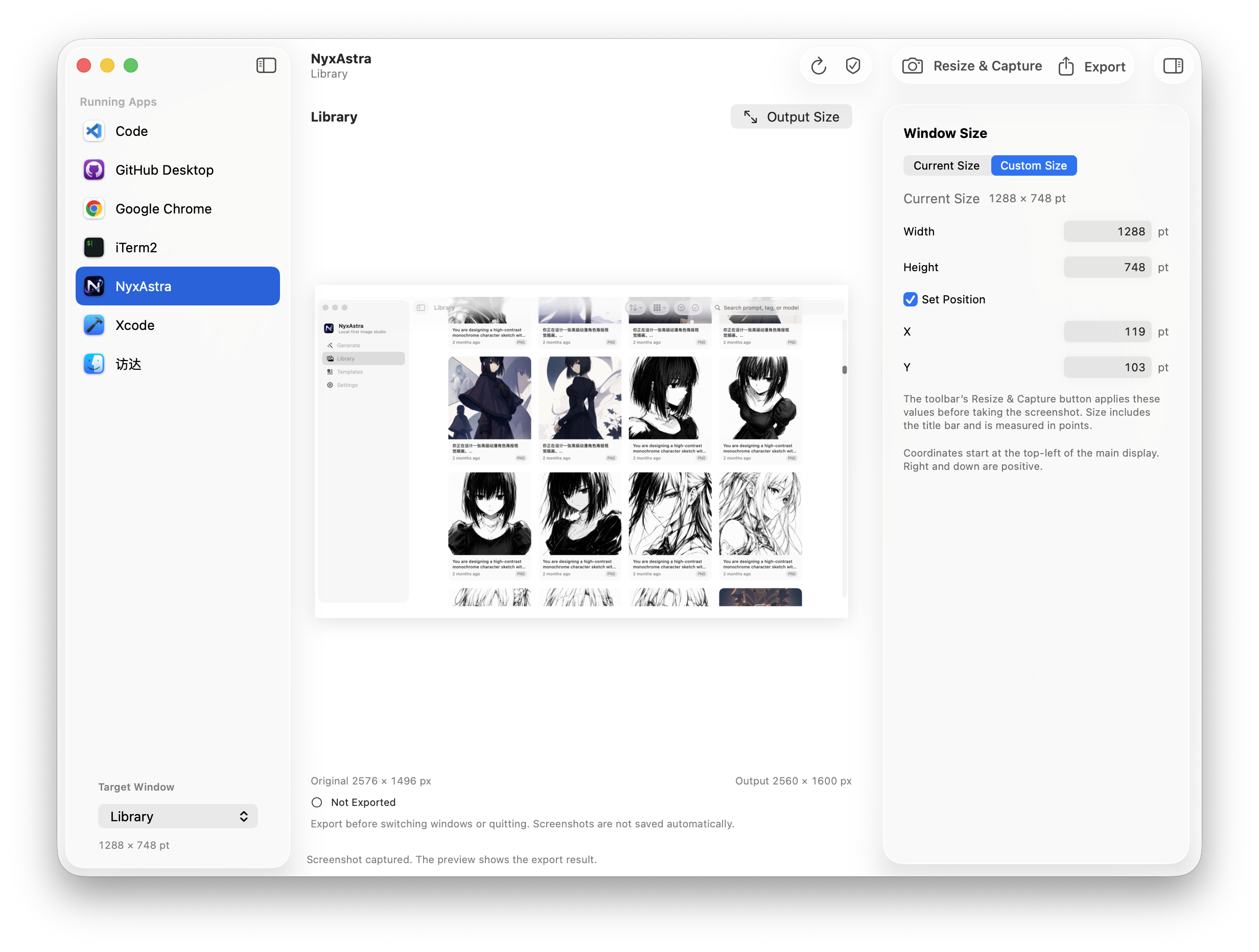
Capture at the current size, or enter a width and height to adjust the window before taking the screenshot.
Preview and Export
Check the result, retake if needed, and save a PNG at its original size or the pixel dimensions you choose.
Key Features
Window Capture
Choose an app or browser window to capture. Keep the focus on the content you want to show.
Precise Window Sizing
Set the window width, height, and optional screen position. Adjust the real layout before capture.
Size Verification
See the actual dimensions after resizing, including when the target app applies its own limits.
Preview and Retake
Review your screenshot before saving. Change the content in the target window and retake with the same size settings.
Custom PNG Dimensions
Export at original or custom pixel dimensions. Choose fit with padding, center crop, or stretch to suit your layout.
Local Processing
Capture and process screenshots on your Mac. No account or cloud upload needed.
Free Download
Perfect For
App Developers
Prepare screenshots for app listings, including the Mac App Store. Keep window layouts consistent across different screens.
Extension & Web Developers
Show Chrome extension pages, side panels, and web apps in a browser window. Create images for store listings and product demos.
Creators & Product Teams
Capture software for product websites, tutorials, release notes, and social posts. Export images to fit each layout.
Frequently Asked
Can I use it for Chrome extensions and websites?
Yes. Capture extension pages, side panels, websites, and web apps within a browser window. Screenshots include the browser toolbar.
How is window size different from output size?
Window size is measured in points and changes the app's layout. Output size is measured in pixels and changes only the exported image.
Can every window be resized to any size?
Some apps enforce minimum sizes or fixed proportions. FrameKit reports the actual result and also supports capture at the current size.
Which permissions does FrameKit need?
Screen Recording is needed to list and capture windows. Accessibility is only needed to resize or move them.
Where are my screenshots saved?
FrameKit keeps one temporary screenshot in memory. Export it to a folder you choose before retaking, switching the selected app or window, or quitting.