The GPT-Image studio that
lives on your device.
Generate through your own Azure OpenAI or OpenAI account. The Apple app supports GPT Image 2.5 Flare and Sunburst alongside earlier GPT Image models. Your credentials, history, and generated library stay on-device; generation content goes directly to the provider you select.
See it in action
Native interfaces for Mac, iPhone, iPad, and Windows. Apple layouts adapt from compact iPhone screens to iPad and Mac.
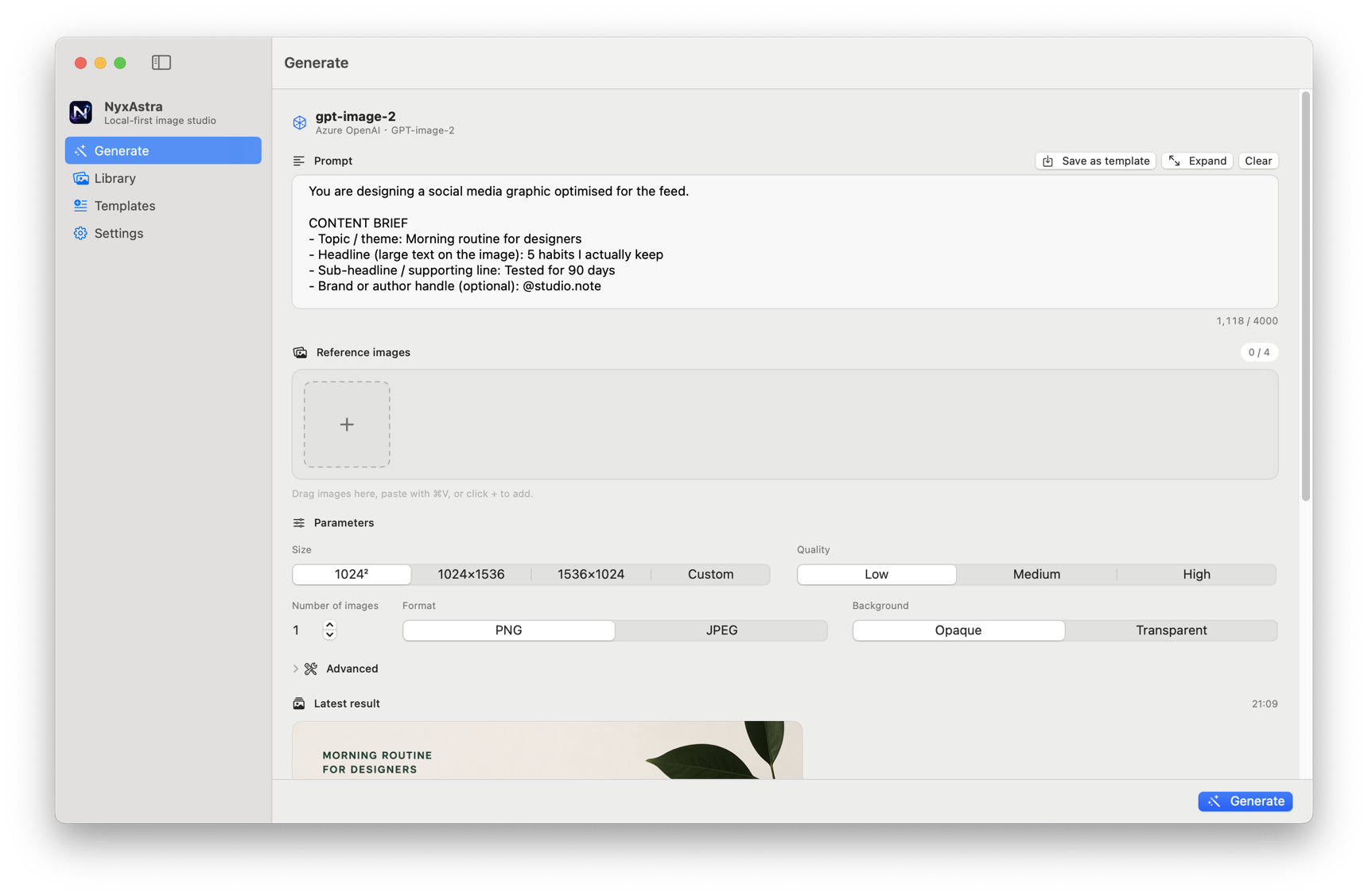
Generate
Full parameter inspector. Size up to 4K, quality, format, transparent background — every documented field in one panel.
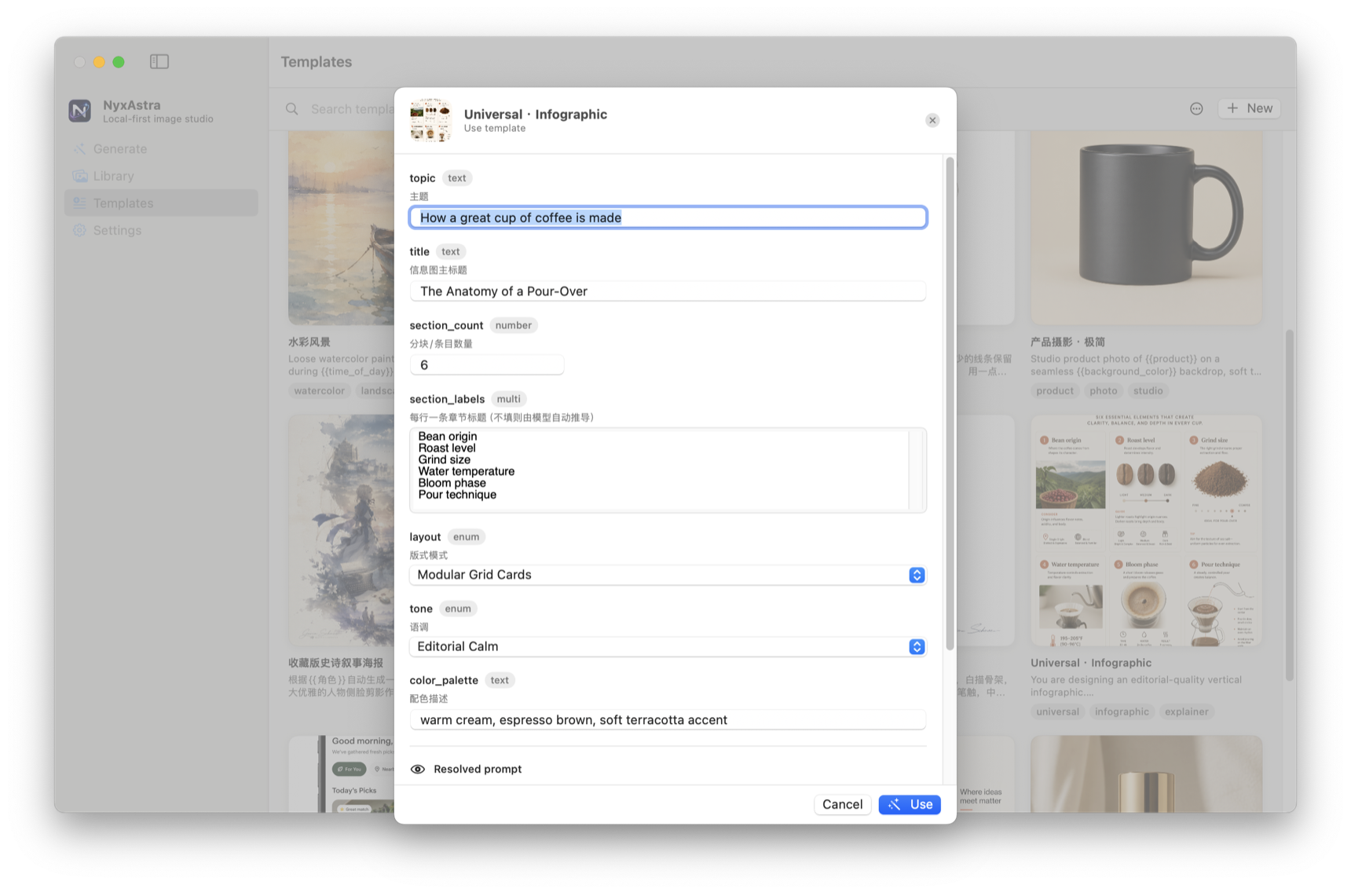
Templates
Pick a template, fill in the variables, generate. Covers, parameter presets, and folders — all built in.
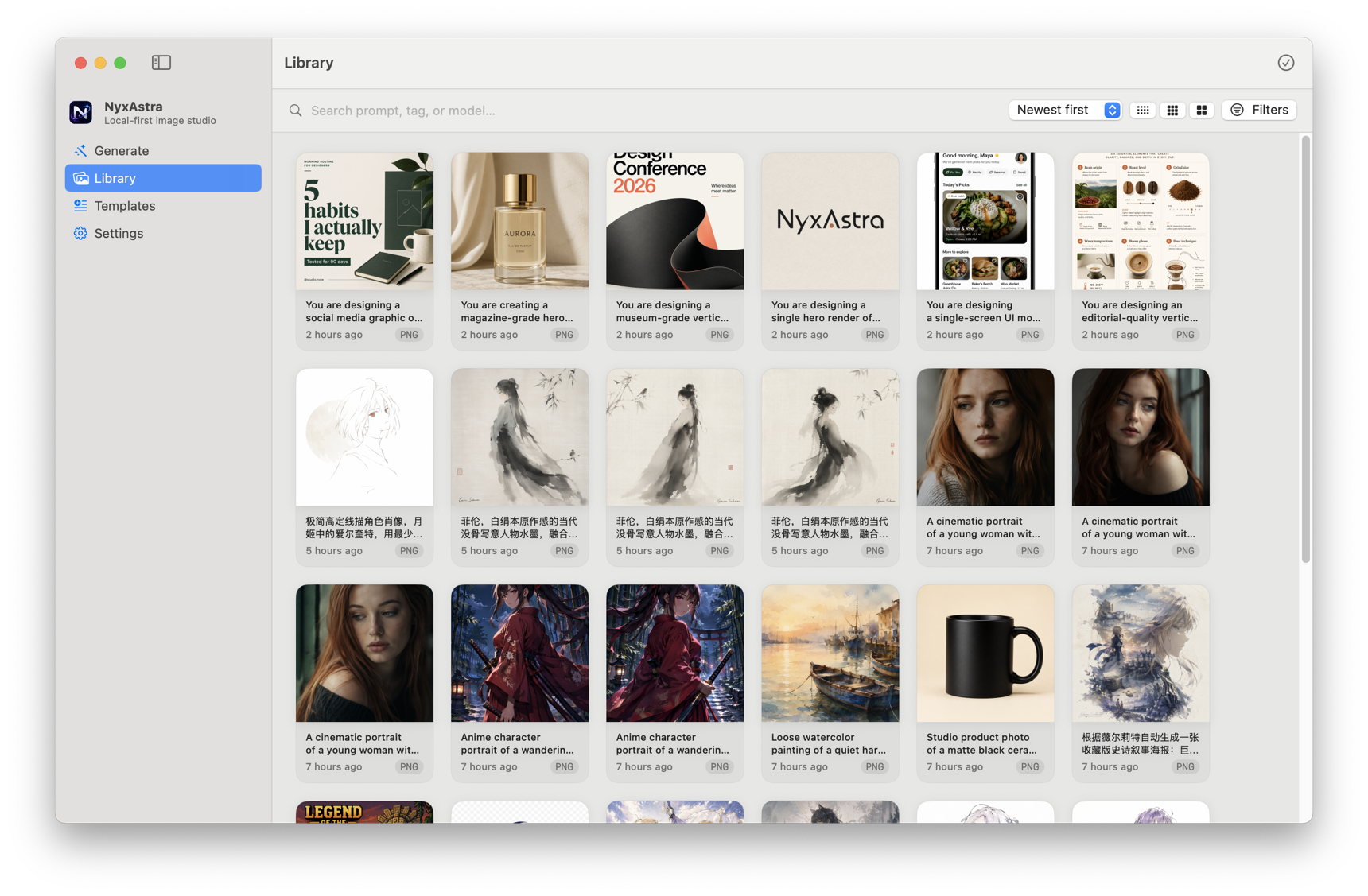
Library
Tag, rate, search, batch-export. Every image embeds the full prompt and token cost as metadata.
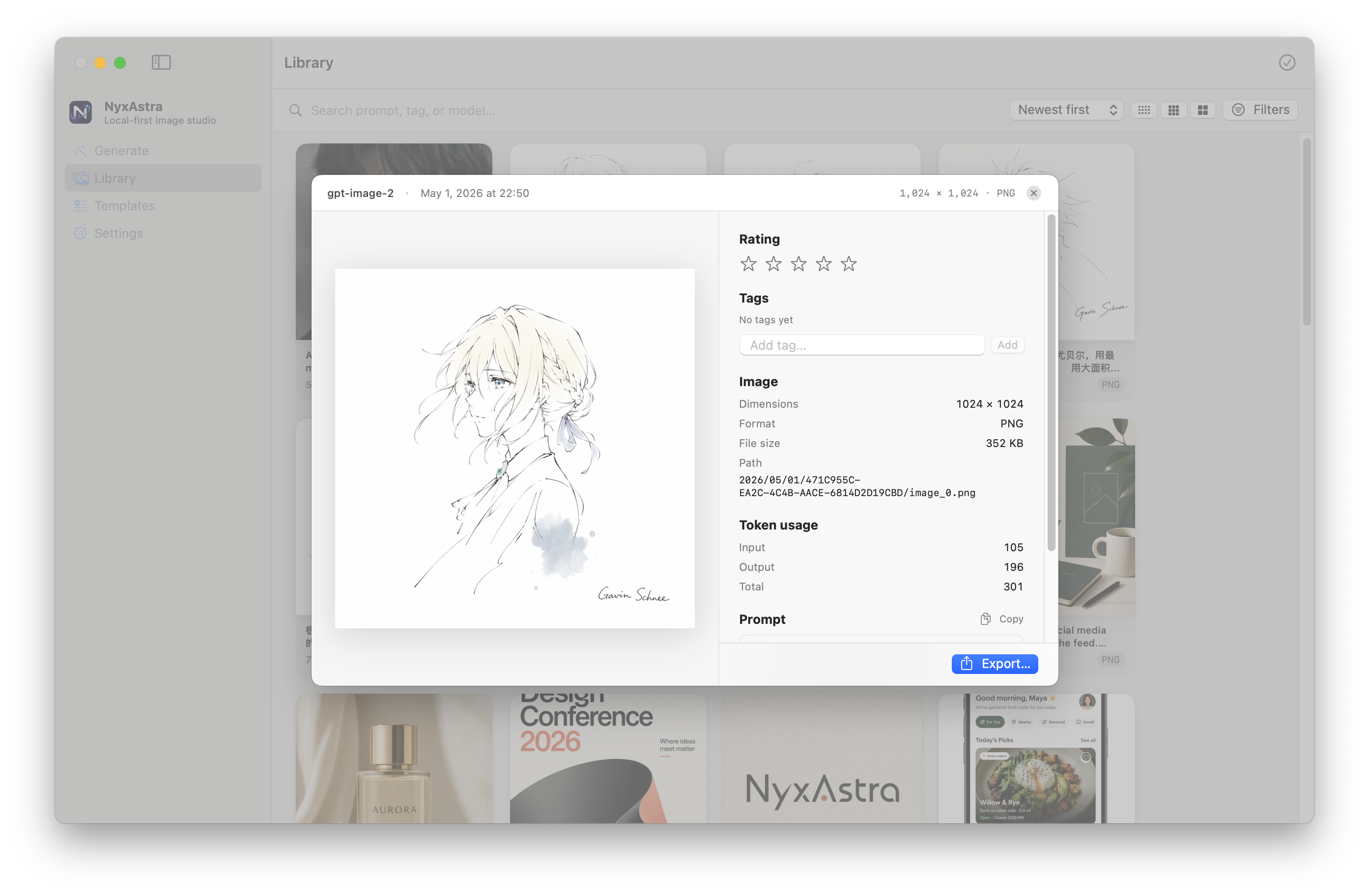
Image Details
Every generation's recipe at a glance — model, dimensions, token usage, prompt, rating, tags. One-click copy or export.
An open template standard
Most AI image tools have no prompt reuse at all. NyxAstra ships a standardized, shareable template format — so you never write the same prompt twice, and the community can build on each other's work.
Typed variables
Text, multiline, enumeration, number — each variable has a type, default value, and optional allowed-values list. Users fill in blanks instead of editing raw prompts.
Locked presets
Each template can pin size, quality, format, and background. The author decides the optimal settings; the user just fills in the creative parts.
Portable JSON
.nyxtemplate is just JSON — with the cover image embedded as base64. Share via AirDrop, Slack, Git, or email. Double-click to import. No account required.
Turn any image into a template
Don't want to write a template from scratch? Img2Prompt — our Chrome extension — analyzes any image and exports a ready-to-use .nyxtemplate. Right-click, generate, and import it straight into NyxAstra.
Template Gallery
A handful of community-curated templates. Browse the full gallery and contribute your own.

Event Poster

Product Hero Shot
Logo Concept

Cinematic Portrait
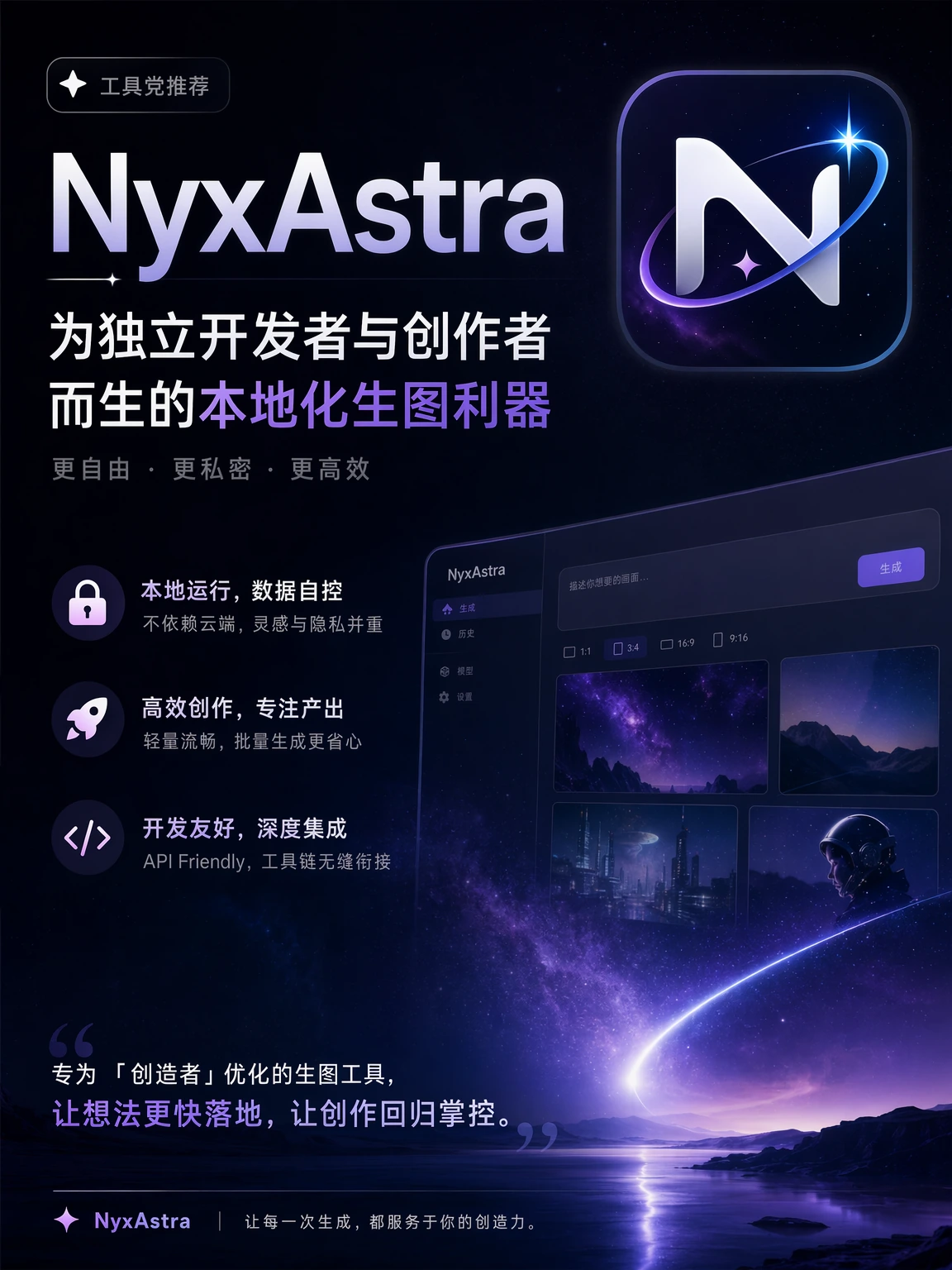
Recommendation Poster

Linear Character Illustration
Everyone can contribute — export your template from NyxAstra, submit a PR or open an issue.
Why NyxAstra
Most AI image apps lock you into their cloud, charge a subscription on top of model fees, or are an Electron browser in a trench coat. NyxAstra is none of those.
| NyxAstra | Typical cloud SaaS | Web playground | |
|---|---|---|---|
| Where prompts & images live | On your disk | Their servers | Their servers |
| Bring your own API key | ✓ | Sometimes, with markup | ✓ |
| Subscription required | Never | Yes — $10–$30/mo | Pay-as-you-go via account |
| Standardized prompt templates | Open .nyxtemplate format | Proprietary or none | — |
| Template sharing & community | GitHub gallery, open contributions | Locked to platform | — |
| Full parameter access | Every documented field | Curated subset | ✓ |
| Searchable on-disk library | Tags, ratings, batch export | Cloud only | Manual download |
| Native apps | SwiftUI + WPF/.NET | Electron / web | Browser only |
Core features
Local-first, BYOK
Encrypted credential vault, on-disk library, zero telemetry, no NyxAstra account. Network traffic only goes to the model provider you typed in.
Every parameter, surfaced
Size up to 4K (or auto), quality, n, format (PNG/JPEG/WebP), compression, transparent background, moderation, user tag — all in one inspector panel.
Reference image editing
Drag & drop reference images to guide the AI. Perfect for style transfer, variations, and iterative refinement.
Token-aware library
Every saved image embeds the prompt, parameters, and exact token count. The recipe that made the image is literally inside the file.
Bulk operations
Multi-select in Library and Templates. ⌘A, Delete, Esc shortcuts. Batch-delete with warnings, batch-export to a single bundle.
Native on every platform
SwiftUI on Mac, iPhone, and iPad; WPF and .NET 10 on Windows. The Apple app provides layouts tailored to touch and desktop use, while Windows remains a self-contained x64 ZIP.
Frequently asked
Do I need to pay for NyxAstra?
NyxAstra is available at no cost. You only pay your AI provider (Azure OpenAI or OpenAI) for the actual model usage — at exactly their published price, with no NyxAstra markup. Future paid editions or add-ons may be offered separately.
What does "BYOK" mean? What do I need before installing?
BYOK = Bring Your Own Key. You'll need either an Azure OpenAI deployment with a gpt-image model, or an OpenAI API key with image-generation access. NyxAstra walks you through pasting it on first launch.
Which releases support GPT Image 2.5?
The Apple app supports gpt-image-2.5-sunburst and gpt-image-2.5-flare on Mac, iPhone, and iPad, including xhigh and max quality. The existing direct-download DMG and the Windows build retain support for gpt-image-2, gpt-image-1.5, gpt-image-1, and gpt-image-1-mini.
Where are my API keys stored?
Stored locally: AES-256-GCM inside the macOS app sandbox, Windows DPAPI under %LOCALAPPDATA%\NyxAstra, and the device-only system Keychain on iPhone and iPad. Credentials are never stored on a NyxAstra server.
On macOS, when I open the DMG it says "NyxAstra can't be opened".
Currently NyxAstra ships with ad-hoc signing only — Apple Developer ID notarization is on the roadmap. To open: right-click NyxAstra.app in Applications and choose Open the first time, or run xattr -cr /Applications/NyxAstra.app in Terminal once.
Where can I download NyxAstra?
Use the App Store link for the current Mac, iPhone, and iPad release. The existing direct macOS DMG remains available for regions where the App Store listing is unavailable, including mainland China, but it is an earlier preview and does not include GPT Image 2.5 support. Windows is available from its separate releases page.
Stop renting your AI tools.
NyxAstra is available now. Get the Apple app for Mac, iPhone, or iPad, or download the Windows ZIP. The earlier direct-download DMG remains available separately.
NyxAstra is an independent project and is not affiliated with, endorsed by, or sponsored by OpenAI, Microsoft, or Azure. “gpt-image” and other model names are referenced solely to describe interoperability with their respective providers.